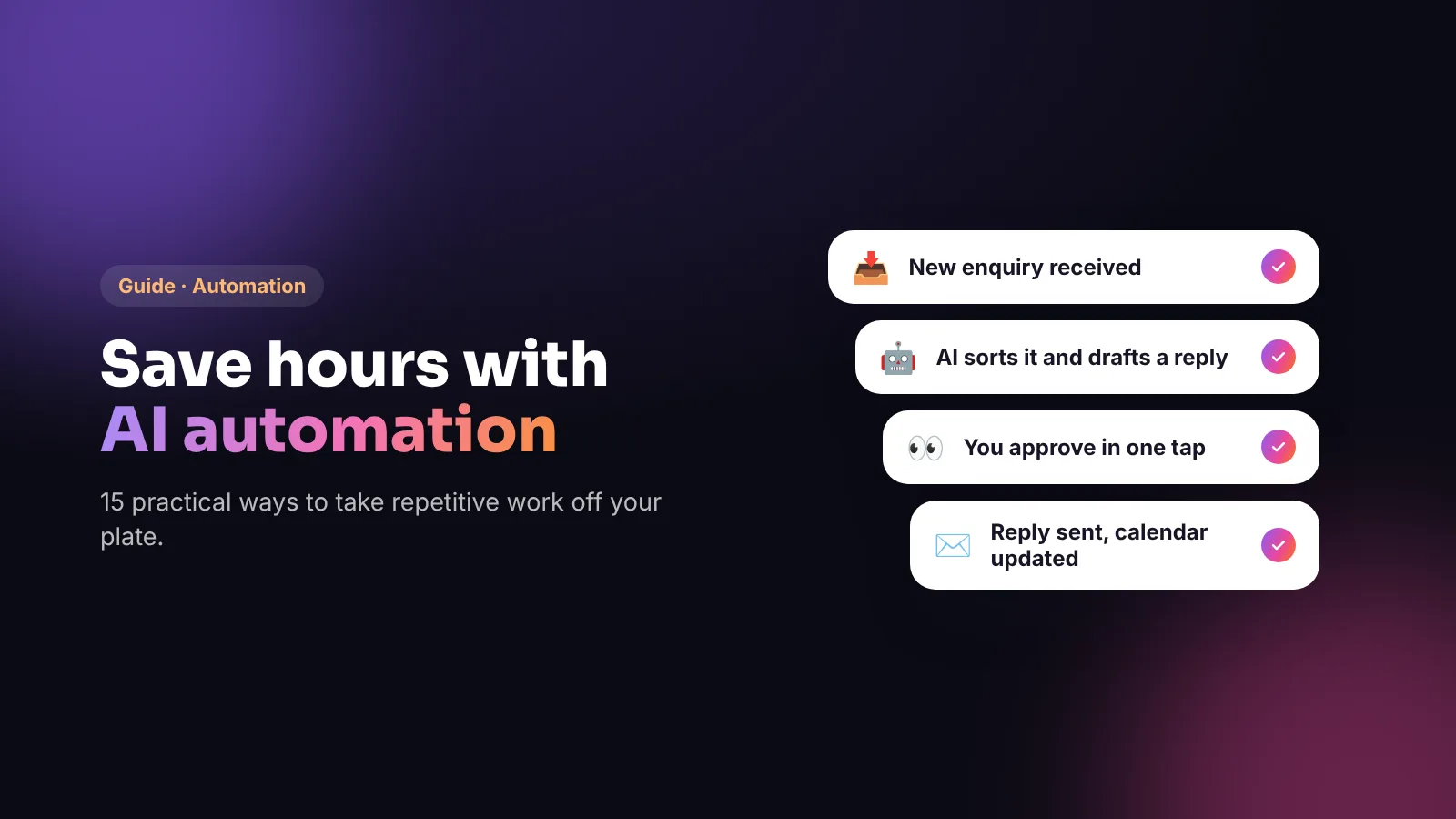
Key takeaways
- The best automations remove repetitive, rule-based work: copying details between tools, sending reminders, sorting enquiries, chasing invoices.
- AI adds value where work involves language: drafting replies, summarising calls, writing first drafts and pulling details out of emails.
- Keep a human in the loop for anything that affects money, customers’ rights or your reputation.
- Start with one process that annoys you every week, measure the time saved, then build the next.
- Use only the personal data you need, and choose tools with proper data protection terms.
Most small business owners don’t need “an AI strategy”. They need back the hours spent copying booking details into a spreadsheet, answering the same emails, chasing unpaid invoices and assembling a monthly report. That’s exactly what modern automation — with AI where it helps — is good at. This guide shows where to start and how to do it safely.
Automation vs AI: what’s the difference?
- Automation follows rules you set: *when* a form is submitted, *then* add a row to the sheet and send a confirmation. It’s predictable and cheap.
- AI handles language and judgement: reading an email to work out what the customer wants, drafting a reply, summarising a call, sorting enquiries by urgency.
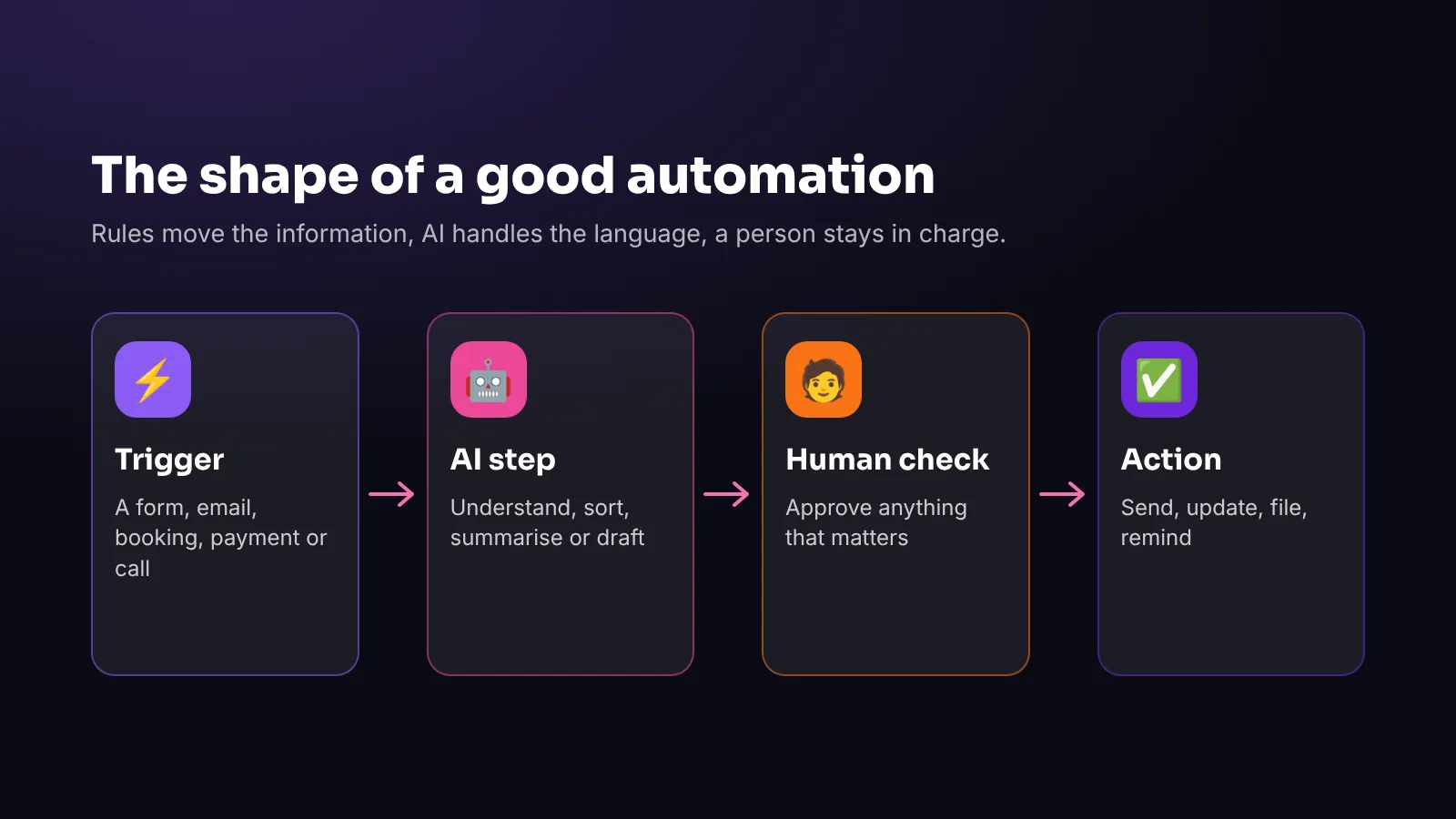
The most useful systems combine both: automation moves the information, AI understands and drafts, and a person approves anything important.
15 practical automations
Enquiries and bookings
- Instant enquiry replies — confirm every form, email or message within seconds, with the next step.
- Enquiry sorting — AI reads each enquiry, tags it (booking, quote, complaint, supplier) and routes it to the right person.
- Booking confirmations and reminders — by email or text, which reduces no-shows.
- Missed-call follow-up — send a text with a booking link when a call isn’t answered, or let an AI voice agent answer.
- Quote preparation — collect the details, draft the quote from your price list and send it to you to check.
Customers and reviews
- Review requests — a friendly message after each visit or order, with your Google review link. (Never offer rewards for reviews — see our reviews guide.)
- Reply drafts — AI drafts replies to reviews and common emails in your tone, for you to approve.
- Birthday and anniversary offers — for customers who’ve agreed to marketing.
- Win-back messages — a gentle note to customers you haven’t seen for a while.
Money and admin
- Invoice reminders — polite automatic reminders before and after the due date.
- Receipt capture — photos of receipts read, categorised and sent to your accounting software.
- Supplier orders — low-stock alerts or draft orders based on sales.
Content and reporting
- Content repurposing — turn one blog post or video into captions, an email and a Google Business Profile update, for you to edit.
- Call and meeting summaries — key points and actions sent to the team automatically.
- Monthly reports — pull figures from your tools into one summary with the highlights in plain English.
How to choose your first automation
Ask three questions about each repetitive task:
- How often does it happen? Daily and weekly tasks pay back fastest.
- How rule-based is it? The clearer the rules, the easier and safer to automate.
- What happens if it goes wrong? Start with low-risk tasks (confirmations, reminders, sorting) before customer-facing AI replies.
Then map the steps on paper: what triggers it, what information moves where, what needs a decision, and what the result is.
Keep a human in control
- Approve before sending anything that commits you to a price, a refund or a promise.
- Set limits: what AI may draft, what it may send itself and what it must never do.
- Log everything so you can see what happened and fix mistakes.
- Review weekly at first, then monthly.
Under UK GDPR and EU GDPR, people have rights around decisions made solely by automated means that significantly affect them — another good reason to keep a person responsible for important decisions.
Data protection basics
This is general information, not legal advice.
- Use only the data you need for each automation.
- Check where data goes: which tools, which countries, and whether your data is used to train AI models.
- Have data processing terms with your providers and list them in your privacy notice.
- Secure your accounts with strong passwords and two-step verification — automations often have wide access.
What it costs
Many automations run on tools you already pay for. Others need a connector platform or a small custom build, and AI steps usually have usage-based costs. The value is easiest to see in hours: an automation that saves 30 minutes a day saves roughly ten hours a month.
Frequently asked questions
What can small businesses automate with AI?
Common examples include replying to enquiries, sorting emails, booking confirmations and reminders, review requests, invoice reminders, receipt capture, content repurposing, call summaries and monthly reports.
Is AI automation expensive?
Not necessarily. Many automations use tools you already have. Costs depend on the tools, the number of tasks and any AI usage. Start with one high-frequency task and measure the time saved.
Will automation make my business feel impersonal?
Not if you automate the admin and keep people for the relationships. Fast confirmations and reminders usually improve the customer experience.
Is it safe to use customer data with AI tools?
It can be, with the right set-up: use only necessary data, choose providers with proper data protection terms, check whether data is used for training, and keep people in charge of important decisions.
Where should I start?
Pick the repetitive task that annoys you most each week, map its steps, automate the rule-based parts first and add AI where language is involved.
The bottom line
Automation is the quiet win: no big launch, just hours back every week and fewer things falling through the cracks. Start with one process, keep a person in control and build from there.
Viraluna Studio designs and builds automations and custom AI tools around how your business actually works. Explore AI applications, or try our free online visibility check.